IDENTITY & ACCESS MANAGEMENT (IAM)

Advanced Case Study: The Compromised Identity

Analyse the evidence • Separate facts from assumptions • Recommend controls

CASE FILE: THE MESSAGE THAT COULD COST YOU

Story

XYZ Business School uses a cloud identity platform for faculty email, the learning management system (LMS), HR documents, and shared project storage. Faculty sign in with an institutional account. Sensitive folders should be restricted by role, and multi-factor authentication (MFA) is available but is not enforced for every legacy application.


On 14 October, a faculty member receives an urgent email claiming that the IT Service Desk will suspend accounts unless users verify their identity. The email contains a link to a look-alike sign-in page. Later, a QR code appears on a notice near the staff room, claiming to be a faster way to update account-security settings. Within hours, the identity team sees a successful sign-in, a large download from shared storage, and a later access attempt from an unfamiliar location. The team blocks the later attempt, but cannot yet prove whether the email link, QR code, or another route exposed the credentials.


Your role: act as a junior IAM incident analyst. Identify the likely attack path, determine which controls failed or were incomplete, recommend immediate containment, and propose long-term improvements. Do not treat an indicator as proof unless the evidence supports it.
Evidence Pack — Clues to Investigate

Clue A — Suspicious Email (fictional)
From“IT Service Desk” <support@XYZ-bss.com>
Tofaculty.member@XYZ-bs.com
SubjectURGENT: Verify Your Account Within 24 Hours
Message“Your account will be suspended due to a policy update. Verify your identity now to avoid interruption.”
Link displayedhttps://XYZ-secure.com/verify (fictional training URL; do not visit)
Clue B — Login and Audit Log Extract
TimestampSource IPLocation / DeviceEventResult
14 Oct, 09:37103.28.74.21Chennai / Chrome on WindowsInteractive sign-inSuccess
14 Oct, 09:41103.28.74.21Chennai / Chrome on WindowsShared folder export12.4 GB downloaded
14 Oct, 09:44103.28.74.21Chennai / Chrome on WindowsMFA challengeNot recorded for legacy app
15 Oct, 02:16185.199.110.52Unknown / Firefox on LinuxSign-in attemptBlocked by risk policy
15 Oct, 02:18185.199.110.52Unknown / Firefox on LinuxToken/session requestDenied
Clue C — QR Notice

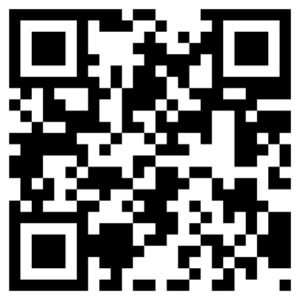
A printed notice near the staff room says: “IT SECURITY UPDATE — Scan to revalidate your faculty account.” The QR destination is recorded as XYZ-account-check.com/update. The notice has no approval stamp, ticket number, or named  IT contact. The security team has not confirmed whether this QR code was connected to the observed login events.

Clue D — Identity Configuration Snapshot
  • MFA is enabled for the main identity portal, but two older connected applications still allow password-only sign-in.
  • The faculty account can access a shared project folder containing documents beyond the member’s immediate teaching needs.
  • No conditional-access rule requires a managed device for downloads from the shared folder.
  • The identity platform records successful sign-ins, but unusual-download alerts go to a general mailbox checked during office hours.
  • The later sign-in was blocked by a risk policy, indicating that at least one protective control was working.


Folder NameSensitivity LevelAssigned RolesAccess Rights Observed
Faculty-Public-FormsLowAll FacultyRead / Write
Department-CollabMediumDepartment StaffRead / Write
Executive-Strategy-2026HighExecutives, BoardRead-Only
Project-Confidential-ArchiveRestricted / SensitiveResearch Leads, PIsFull Read / Export (Faculty account currently has access)

🔐 Login Required, CyberHood Defender!

Ready to take on this CyberHood Challenge? 🛡️

Please log in to your CyberHood account to unlock the quiz, earn Cyber XP, and track your progress.

🚀 Log in. Take the Challenge. Earn XP. Level Up!